





Reverse-engineer any video.
Shot by shot: was it filmed, AI-generated or coded, and how to remake it.
Every breakdown is written in VIDEO.md, an open format that agents read layer by layer.
Website | 中文 | English | Русский | 日本語 | 한국어 | Español | Português | Français | Deutsch | Tiếng Việt








⭐ Help more people find rea-video. Star this repo!

Left: a TikTok ad shot on a phone. Right: an AI remake with another product. rea-video's verdict: the left is all live footage, one set and two camera positions; the right is all AI, 8 shots across 3 generations.
rea-video is built for AI agents. In Claude Code, Codex or any agent that can run commands, say:
Install https://github.com/JuneYaooo/rea-video, then break down this video: /path/to/video.mp4
The agent installs the CLI, learns the workflow and runs the whole thing. You need ffmpeg and Python 3.10+.
Breakdowns are fully upgraded. Each one gives you two outputs:
- Report (
report.html/ PDF), for you: more reader-friendly, with a clearer structure, easier to learn from and to understand how the video was made and how to remake it. - VIDEO.md, for your AI: layered, so the AI reads only what a question needs and uses fewer tokens.
You can also hook up a video-capable model (Gemini or Doubao both work) by giving the agent its endpoint and key. That makes the live/AI/3D calls more accurate and adds a reverse-engineered prompt for every shot. It works fine without one; if your agent can see images, it checks the uncertain shots itself.
Reports are written in whichever language you ask in (Chinese or English). The example reports below are in English.
| Video type | Examples | What you get |
|---|---|---|
| Live footage | Talking-head, tabletop, handheld product demo, vlog, store visit | Setups and camera positions, framing, camera moves, lighting (12 setups with gear lists), color grade |
| AI video | Text/image-to-video, AI short drama, AI music video | Evidence, a reverse-engineered prompt per shot, how to batch into generations and which model to use |
| Avatar | A portrait driven by audio, lip-sync | Which shots are avatar shots, what portrait and audio you need |
| 3D / animation | Blender / C4D explainers, product animation, 2D animation, stop-motion | Whether to generate with a video model or render from 3D code |
| Code / template | Kinetic type, UI demos, charts, slide-style cards | Text, layout and motion timing, ready to rebuild as a Remotion project |
| Screen recording | Software tutorials, web demos | Which parts are real material you'll need to record yourself |
| Mixed / edits | AI characters + code UI + real screen capture; live footage with AI edits | Each shot judged separately, then reassembled on the original timeline |
Besides how the visuals were made, every breakdown also covers:
- Captions and styled text: start and end of each line (exports to SRT / ASS), plus color, outline and how the text comes in
- Stickers, emoji, picture-in-picture: where they sit and how long they stay
- Editing: where the cuts are, how fast, whether they hit the beat
- Audio: human or AI voice, AI or library music and its BPM, where each sound effect lands
- Material you'll need to supply yourself: screen recordings, screenshots, product photos
The sample videos in docs/cases/videos/ are re-compressed to keep the repo small, which strips the TikTok / Douyin platform tags. So if you run them yourself, you'll get different results from the reports below, especially without a vision model. To reproduce them, use the original downloads from the platform.
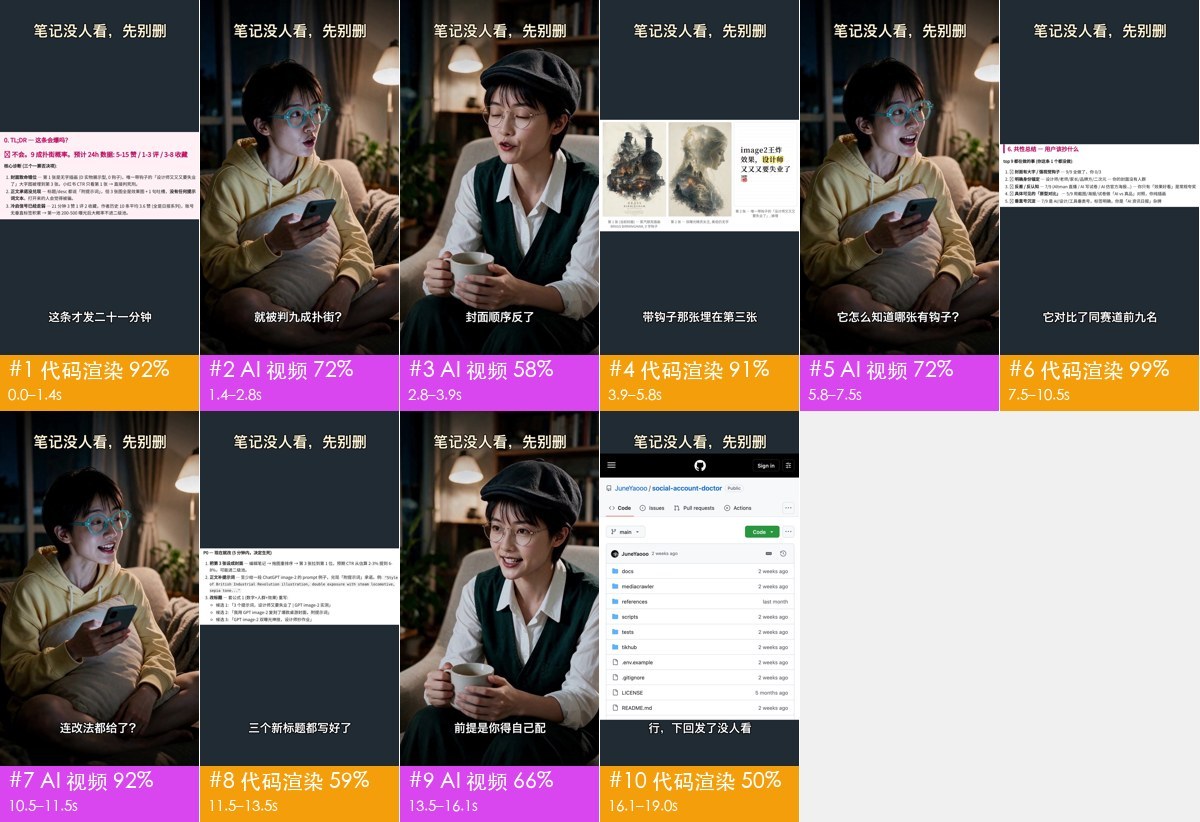 Mixed-media clip · 19 s · 10 shots AI characters talking + code-built UI + 8 s of real screen recording. The 5 dialogue shots are broken up by UI segments but share one set, so a single generation covers all of them. Video · Report |
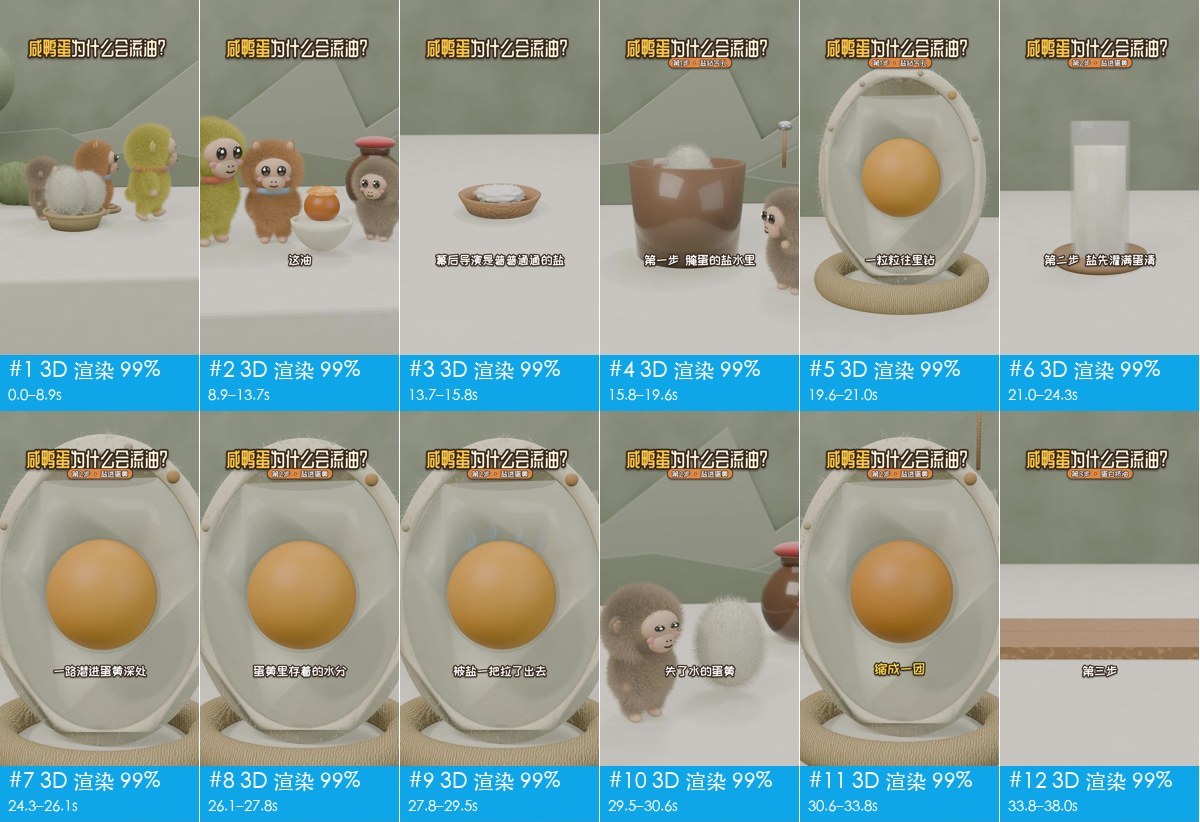 3D explainer · 67 s · 21 shots All 3D, AI narration. You can do it in 10 video generations, or have an LLM write Blender / Three.js code. Video · Report |
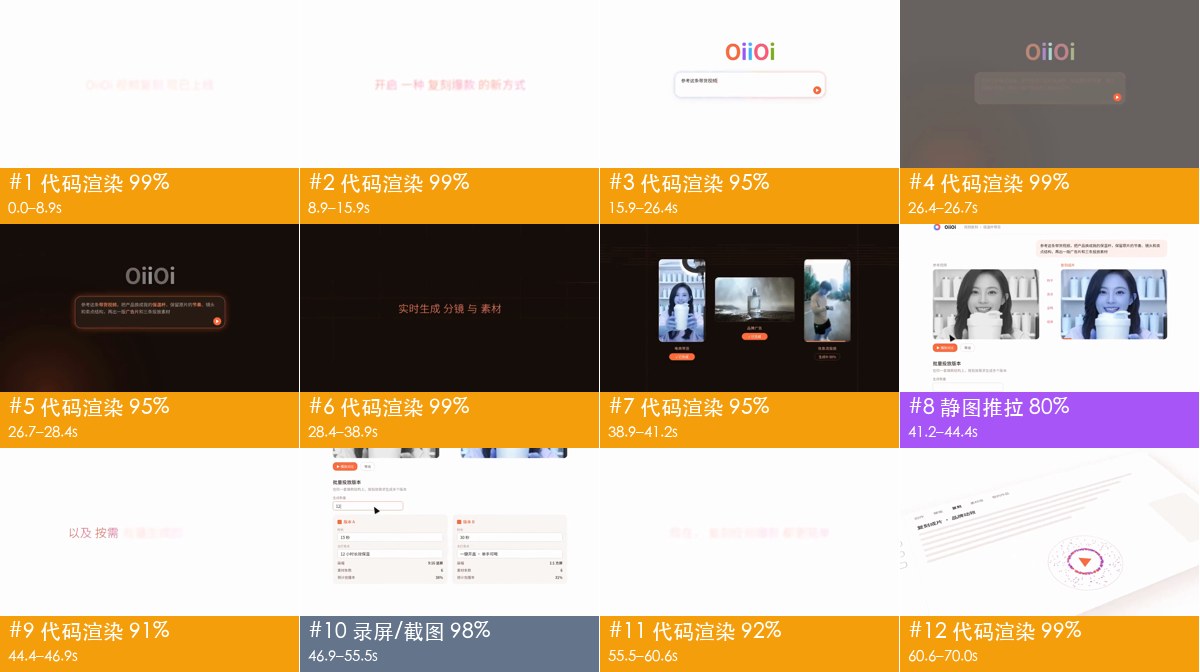 Product promo · 70 s · 12 shots 83% code-driven motion graphics, 12% screen recording. No video model needed; one Remotion project does it. Video · Report |
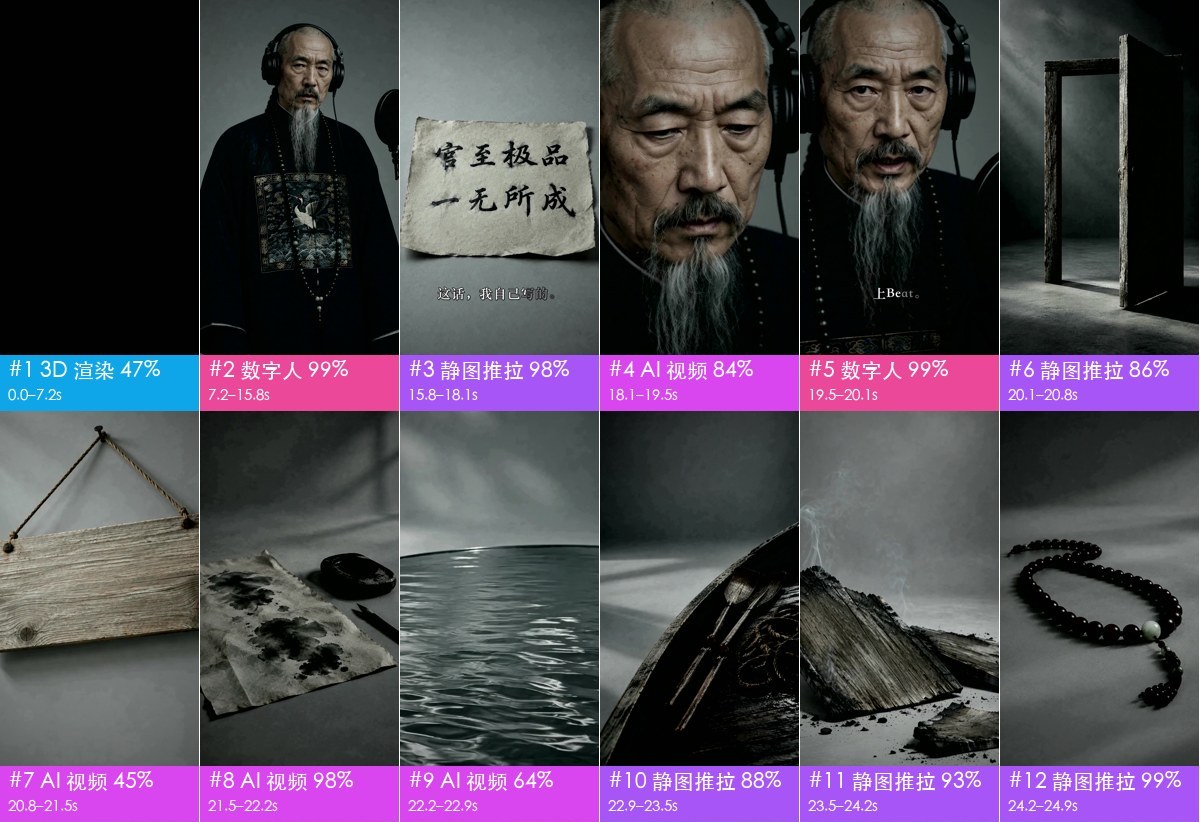 AI music video · 165 s · 86 shots Correctly flags the song as AI-generated (it was made with Suno). The vision model called some shots "live-action drama"; the agent spotted fake Chinese characters on a scroll and ruled them AI. Video · Report |
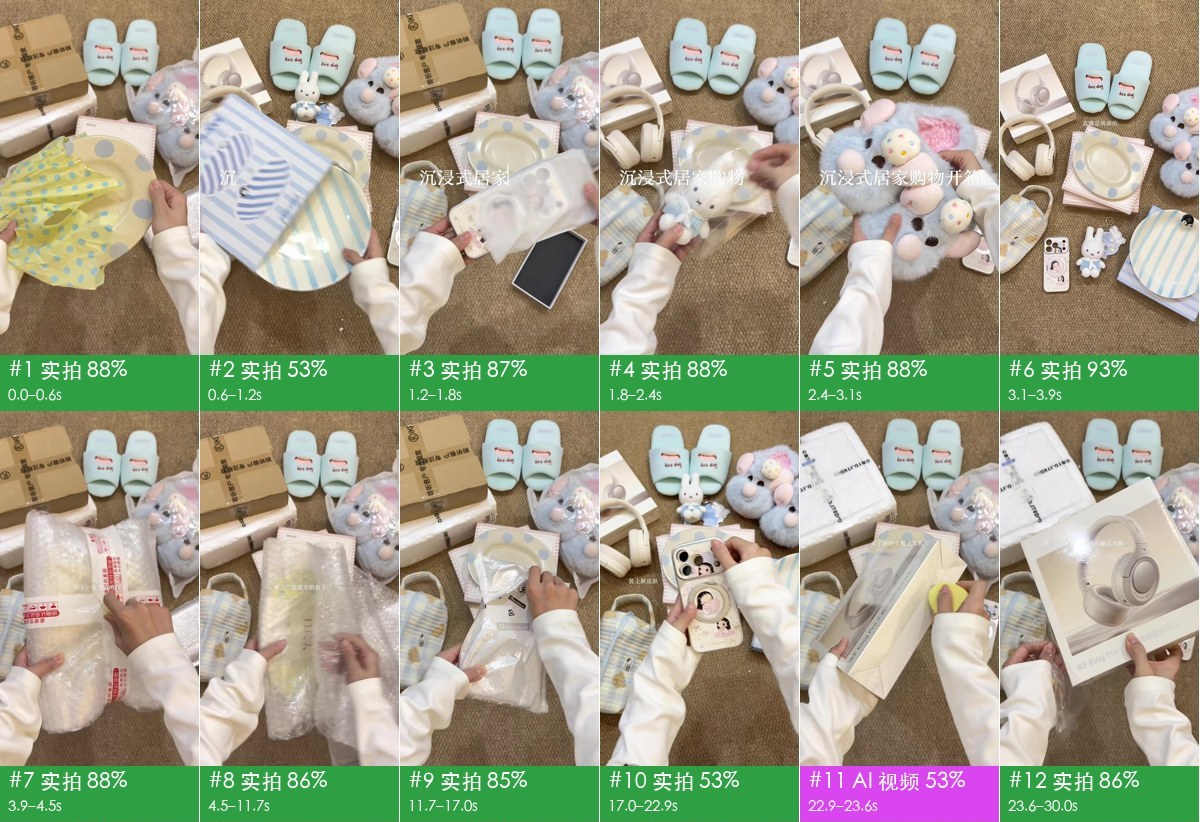 Live-action unboxing · 72 s · 29 shots All real footage: an overhead phone rig, one rug, one camera position, no voice-over, room sound plus library BGM. After platform transcoding, the offline tools called 35% of it AI; after agent review it came out 97% live-action. Video · Report |
After rea-video breaks a video down, the remake recipe in capsule-cinema generates a new version that keeps the original's camera, motion, pacing and transitions and swaps only the elements you pick. These were made with a self-hosted MiniMax H3, using the original shot as the motion reference and keyframes with the swapped elements (gpt-image-2) for the look. Below are three remakes OiiOii showed in its WeChat articles. We made two versions of each: one with the same swap as OiiOii, and one that also swaps the subject, setting and props. Each GIF plays four versions in sync: the original, OiiOii's remake, our remake and the element-swap version.
|
Overhead outfit change · 12 s Same swap: woman → man, three outfits → matching menswear. Element swap: a girl in three historical Hanfu outfits in a Chinese study; the remote becomes a round fan.  HD comparison video (with audio) · same-moment stills |
|
Paper-craft / watercolor animation · 30 s Same swap: new clay girl as the lead. Element swap: a fox; forest → coral reef, clouds → starry sky, sunset → aurora.  HD comparison video (with audio) · same-moment stills |
|
Handheld product video · 21 s · 11 shots Same swap: an original new product, English sticker → Chinese caption. Element swap: pink product, kitchen → camping table, new ingredients.  HD comparison video (with audio) · same-moment stills |


The HD comparison videos use the original audio. The originals and OiiOii versions come from the articles and are shown for comparison only.
You can also do the remake in ChatCut, a hosted AI video editor: there is no model to set up, and the generated shots land on a timeline you can keep editing. Sponsor
rea-video is free and open source. Sponsors help keep it maintained.

|
ChatCut is an AI video editor for Claude Code and Codex that generates the shots, cuts them on a timeline and exports the finished video. Try ChatCut for free |
Sponsored · Become a sponsor
Accuracy of the how-it-was-made call, weighted by shot duration:
| Tuning set (15) | Holdout (16) | Re-encoded WeChat videos (10) | |
|---|---|---|---|
| Tools only (offline, free) | 98.3% | 99.6% / 98.9% | 88.6% |
| + vision model (Gemini) | — | 99.6% / 99.8% | 99.6% |
| + agent visual review | — | 99.6% / 99.8% | 100% |
The Holdout column shows two numbers: holdout (9 videos) and holdout2 (7 videos).
On original files, the tools alone are usually enough. Videos downloaded from platforms have been recompressed, which wipes out the noise evidence, so you need a visual check to get back above 99%.
Real-asset detection is 97–99%; on nine hand-labelled clips, shot boundaries reach 95% recall and 94% precision. Numbers and how to reproduce them: eval/RESULTS.md.

- Split: cut the video into shots and split the audio into voice, music and effects.
- Gather evidence: measure (frame cadence, sensor noise, whether the whole image moves as one flat plane, AIGC tags in the metadata), look (hands, text, physics) and listen (BPM, key, singing vs speech).
- Decide: hard evidence like AIGC tags and frame cadence beats "looks like". Conflicts get flagged for the agent to check visually.
- Plan the remake: batch shots according to what the target video model can actually do, such as max clip length, multi-shot support and how many reference images it takes.
How is this different from one-click remake tools like Hypit?
Hypit takes a reference video and makes a new one: the agent reads frame grids to understand the original, generates footage with the models it supports (Seedance, PixVerse, MiniMax, Wan and others), and renders captions and motion graphics in HTML.
It doesn't ask how the original was made. A live-action source goes through the same pipeline; it won't tell you how many cameras were used or how it was lit. What AI video it can match depends on the models it supports: no Kling or Veo, no dedicated avatar or 3D path, and no AI music (you bring your own). It's strongest on talking-head, podcast and interview videos that follow a script, and weaker on music-driven edits, product motion graphics and cinematic shorts.
rea-video doesn't render a video. It works out shot by shot whether something was filmed, AI-generated or built in code, then gives a shooting plan, prompts or a code approach for each. For a quick lookalike, Hypit is faster. To understand how the original was made and remake it cheaply, use rea-video. They work fine together.
Do I need a video-capable model? What does it cost?
No. Tools-only mode is offline and free, and already accurate on original files. For recompressed platform downloads, add a video-capable model (Gemini or Doubao both work) or use an agent that can see images; you pay whatever that service charges. Automatic video generation (capsule-cinema) does a free dry run first and only calls paid models after you confirm.
Can it remake the whole video automatically?
Partly. With capsule-cinema installed, AI shots are generated and placed back on the original timeline automatically. You film the live shots from the shooting plan, and the agent writes the code shots as a Remotion project. See docs/replicate.md.
What is VIDEO.md, and why does rea-video write one?
Every skill has a SKILL.md; every video gets a VIDEO.md. It is an open format for video breakdowns, made so that models read only what a question needs. A full breakdown runs to hundreds of thousands of tokens; VIDEO.md lays it out in levels: a card of a few hundred tokens, an overview and map, a timeline with one line per shot, then one file per shot. Every file states its size, and what is seen on screen is kept apart from what the tools infer.
rea-video writes one into every output folder (out/ref/VIDEO.md), and its agent skill reads it instead of the raw data. Other agents and tools can read it without knowing rea-video: pip install videomd, then videomd check out/ref. The spec and guides are at videomd.github.io/videomd.
Can I just repost someone else's video?
No. rea-video is for learning a video's structure, pacing and techniques, then remaking it with material you have the rights to. Don't reuse other people's footage, music, characters or likeness. Follow platform rules and local AI-content labeling requirements when you publish.
- docs/what-it-detects.md: everything it detects (10 visual types, camera, lighting, grade, audio)
- docs/replicate.md: how to remake from the report
- docs/cases.md: details on each example
- docs/decompose.md: detection rules
- docs/cli.md: CLI usage and capsule-cinema integration
- docs/videomd.md: VIDEO.md, the standard breakdown package that agents and downstream tools read (open format: videomd/videomd)
- rea_video/capabilities/: capability tables for video / image / audio models, used to pick models for the remake plan
- eval/RESULTS.md: eval results
The docs are in Chinese for now.
Questions, breakdowns and remake ideas: GitHub Discussions. Chat with us on Discord. Chinese speakers can also find us on linux.do.
Want a video broken down? Open a request issue with the link and we'll publish the result as a case.
Inspired by REA (Reverse Engineer Anything): work back from what you see to how it was made, back every claim with evidence, and verify by measuring.
Sound separation uses UVR MDX-Net for voice and music, and BandIt v2 (Watcharasupat, Wu and Orife; weights CC BY-SA 4.0) for sound effects. Both models are downloaded on first use and are not part of this repo.